Now on Android · Version 2.6 on the App Store
Your IPTV playlists, in one beautiful player.
Add an M3U link or Xtream Codes login. Stream Master turns it into a TV guide, favorites, catch-up and Multi-View on iPhone, iPad, Apple TV and Android.
- Free to start, one playlist
- No account needed
- iPhone · iPad · Apple TV · Android
How it works
From a link to live TV in three steps
- 1
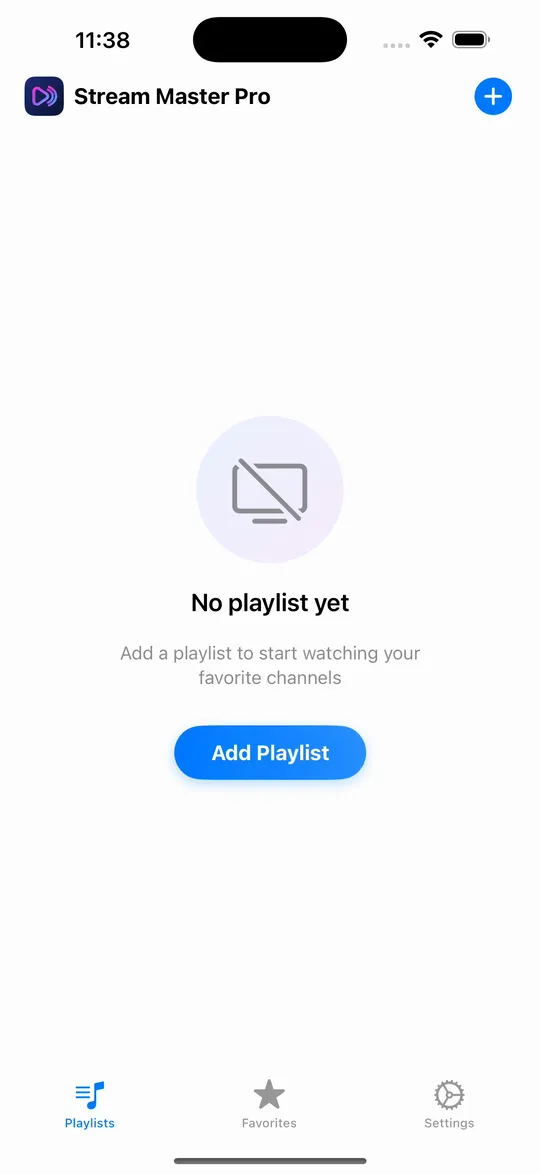
Add a playlist
Paste an M3U link or enter your Xtream Codes login (server, username and password). On iPhone and iPad, an M3U link that already carries Xtream credentials is detected automatically.
- 2
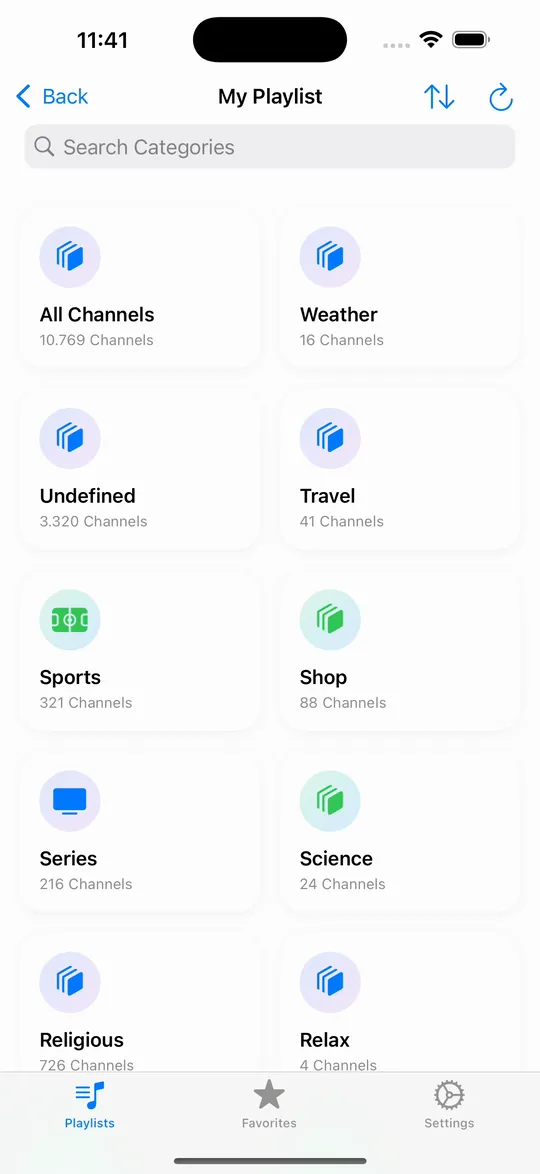
Find what you want
Channels sort into categories. Favorites, search and the EPG grid keep the right channel one tap away.
- 3
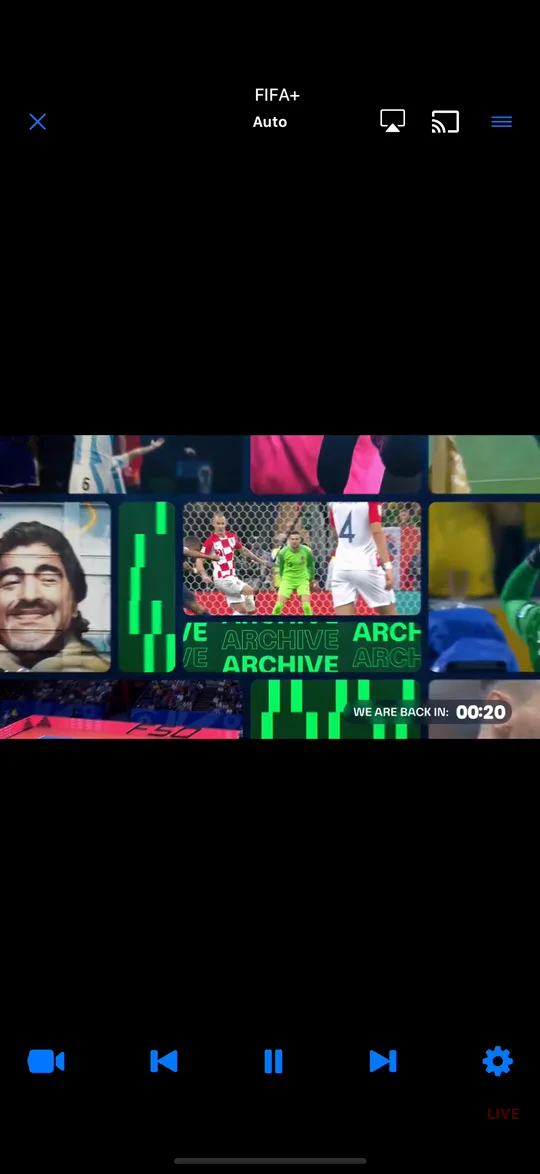
Watch your way
Picture-in-Picture, catch-up on archived channels, Multi-View with up to four streams, and Pro extras like recording and Chromecast.
Features
Everything a player should do
Built for people who watch live TV every day: sports, news, series.
Multi-View: Watch Up to 4 IPTV Channels at Once
Watch up to four IPTV streams at once on iPhone, iPad and Apple TV with Stream Master Pro. How to set it up, switch sound and what the limits are.
Auto-Categorization
Automatically organizes your playlists into smart categories like Entertainment, News, Music, and Family.
Offline Downloads for IPTV Movies on iPhone & iPad
Download movies and series episodes from your IPTV playlist to iPhone or iPad with Stream Master Pro and watch them offline. Live channels not included.
Casting & AirPlay: Send IPTV to Your TV from iPhone
Send IPTV from Stream Master on iPhone or iPad to an Apple TV, AirPlay TV or Chromecast. A Pro feature: how it works, step by step, and its limits.
Performance Tools
Built-in tools to clear cache and monitor app storage to ensure smooth performance on any device.
Multi-Playlist Management
Organize your streaming world. Add unlimited playlists from different providers and switch between them instantly.
Smart EPG: TV Guide, Reminders and Catch-Up
Stream Master's TV guide for iPhone, iPad and Apple TV: now and next, an EPG grid, reminders and catch-up, free, from Xtream or XMLTV guide data.
Detailed Stats
Understand your viewing habits. Track your watch history and verify stream quality.
EPG Reminders
Set alarms directly from the EPG and never miss your favorite show again.
Apple TV
The same playlists on the big screen
The Apple TV app has playlists, favorites, reminders, parental control, iCloud Sync and Multi-View, with no ads.
More about Apple TV →Free and Pro
Start free. Go Pro when you need more.
Monthly, yearly and lifetime plans. Prices are shown in the App Store or Google Play for your country, and Apple and Android purchases are separate.
| Feature | Free | Pro |
|---|---|---|
| Playlists | 1 | Unlimited |
| Favorites | Up to 5 | Unlimited |
| TV guide and reminders | Included | Included |
| Catch-up | Apple devices | Included |
| Picture-in-Picture | Included | Included |
| Parental control | Included | Included |
| Multi-View on iPhone, iPad and Android | Not included | Included |
| Chromecast, plus AirPlay on iPhone and iPad | Not included | Included |
| Recording and offline downloads | Not included | Included |
| Watch stats, plus iCloud Sync on Apple devices | Not included | Included |
| Ads on iPhone, iPad and Android | Yes | None |
Under the hood
Plays what your provider sends
- Playlists
- M3U, Xtream Codes
- Streams
- HLS (.m3u8), MPEG-TS, MKV, AVI, FLV, WMV, WebM
- Engines
- Apple's player (iPhone, iPad, Apple TV) or Media3 (Android), plus a VLC-based engine, chosen automatically
- TV guide
- Xtream Codes, or XMLTV for M3U playlists
- Output
- Chromecast, Picture-in-Picture, AirPlay on iPhone and iPad
- Devices
- iPhone, iPad, Apple TV, Android 8.0+ phones and tablets
Frequently Asked Questions
Got questions? We've got answers.
What is Stream Master?
Stream Master is an IPTV player app for iPhone, iPad, Apple TV and Android phones and tablets. It plays the M3U playlists and Xtream Codes logins you already have from your IPTV provider, with a TV guide, catch-up, favorites, Multi-View and recording.
Does Stream Master include channels or an IPTV subscription?
No. Stream Master is a player only: it does not provide, sell or include any channels or content. You add the M3U playlist link or Xtream Codes login (server, username and password) that your own provider gives you.
Is Stream Master available on Android?
Yes. Stream Master is on Google Play for Android phones and tablets running Android 8.0 or later. It plays M3U, M3U8 and Xtream Codes playlists with a TV guide, favorites, Picture-in-Picture and parental control, and Premium adds Multi-View, catch-up, recording, downloads and Chromecast. There is no Android TV, Google TV or Fire TV app, and AirPlay and iCloud Sync are only available on Apple devices.
Is Stream Master free?
Yes, Stream Master is free to start: one playlist, up to five favorites, the TV guide, program reminders, Picture in Picture and parental control, plus catch-up on iPhone, iPad and Apple TV. Pro (monthly, yearly or lifetime, shown as Premium in the app) adds unlimited playlists and favorites, Multi-View, recording, offline downloads, Chromecast and watch stats (plus catch-up on Android, and AirPlay and iCloud Sync on Apple devices), and removes the ads shown on iPhone, iPad and Android.
Does Stream Master show a TV guide for M3U playlists?
Yes. Stream Master reads the XMLTV guide named in the playlist (its url-tvg address), on iPhone, iPad and Apple TV since version 2.6 and on Android. You can also add your own XMLTV link: on iPhone and iPad under Edit Playlist, and in the Android app as well. Xtream Codes playlists get their guide from the provider. Catch-up works on Xtream channels your provider archives.
Which stream formats does Stream Master play?
HLS (.m3u8), MPEG-TS, MKV, AVI, FLV, WMV and WebM. On iPhone, iPad and Apple TV, Stream Master switches automatically between Apple's player and a VLC-based engine; on Android, between Media3 (ExoPlayer) and a VLC-based engine. When a stream fails, it offers another quality or the next channel.
Is Stream Master available on Apple TV?
Yes. The Apple TV app comes with the same download: browse with the Siri Remote, change channel with Up and Down, use the TV guide with catch-up, and see Continue Watching and Favorites in the Top Shelf. Multi-View and recording are part of Pro, and there are no ads on Apple TV.
Do I pay separately for the Apple TV app?
No. One Pro purchase unlocks Pro on iPhone, iPad and Apple TV when they use the same Apple ID.
Does my Pro purchase work on both iPhone and Android?
No. App Store and Google Play purchases are separate and don't transfer between Apple and Android. Pro bought in the App Store covers iPhone, iPad and Apple TV on the same Apple ID. Premium bought on Google Play covers Android phones and tablets signed in to the same Google account, and you can restore it on a new Android device.
How do I cancel a Pro subscription?
Cancel it in the store you subscribed in. On iPhone or iPad, go to Settings > your name > Subscriptions. On Android, open Google Play and go to Payments & subscriptions. The lifetime plan is a one-time purchase, so there is nothing to cancel.
Can I record live TV?
Yes, with Pro. On iPhone and iPad, tap REC in the player to record a live channel or a movie to an MP4 file. On Apple TV, choose Record in the player's options; recordings are kept in the Apple TV cache. On Android, recording (DVR) of live TV is part of Premium.
Where are my playlists and passwords stored?
On your device, and Stream Master has no account to create. On iPhone, iPad and Apple TV, Xtream passwords stay in the device's Keychain and are never stored in iCloud; with Pro, iCloud Sync shares playlists, favorites and watch history across your Apple devices. On Android, playlist links and Xtream passwords are encrypted with a key in the Android Keystore and stay on the device, and nothing is synced between devices.
Paste a playlist. Start watching.
Free on the App Store and Google Play. Pro unlocks more whenever you want it.